0
+

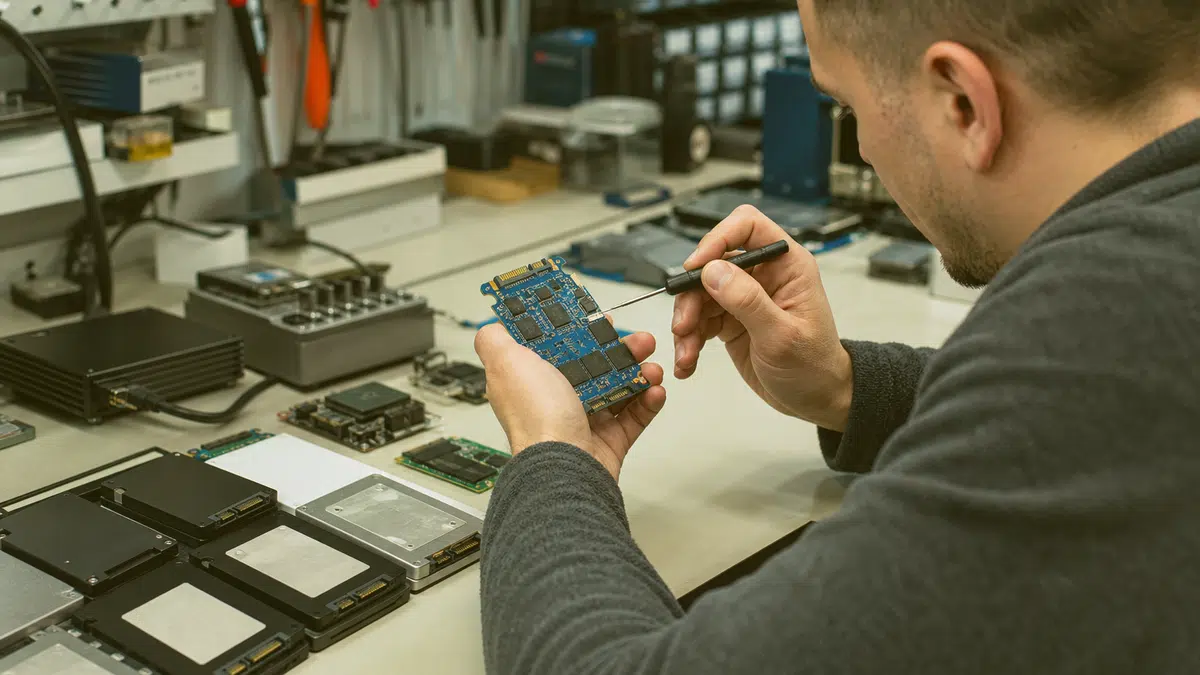
When your solid-state drive fails, every minute counts. Our technicians help you recover lost data from failed, corrupted, or unresponsive SSDs across Fredericksburg and surrounding areas.
If you are dealing with other storage failures, remember that this SSD service is part of our broader Data recovery service offering, which covers hard drives, RAID arrays, flash media, and more.
TL;DR: If your SSD stopped working, shows errors, or disappeared from your system, professional recovery in Fredericksburg, VA can retrieve your documents, photos, and business files without making the damage worse.
Solid-state drives store your most important information, but they fail differently than traditional hard drives.
Controller chip malfunctions, NAND flash wear, sudden power loss, and firmware corruption can all lock you out of your data without warning.
When this happens, standard software tools often cause more harm than good, especially when the drive has physical or logical damage at the controller level.
Our Fredericksburg-based technicians understand the architecture behind consumer and enterprise SSDs.
We work with M.2, SATA, NVMe, and portable external SSD formats.
Whether your drive is not detected, throwing read errors, or stuck in a boot loop, we evaluate the failure type and apply appropriate recovery methods to maximize your chances of getting files back intact.

SSD failures rarely give you advance warning. One day your laptop boots normally; the next, the BIOS cannot find the drive at all. Understanding what went wrong helps you make the right next step instead of risking permanent data loss through guesswork.
Common failure patterns include controller chip death, where the brain of the SSD stops communicating with your computer.
This often follows power surges, thermal stress, or manufacturing defects.
Another frequent issue is NAND flash degradation.
SSDs have a finite number of write cycles, and once cells wear out, the drive may enter read-only mode or fail entirely.
Firmware bugs can also brick the drive, especially after a failed update or incompatible motherboard interaction.
If you notice any of these symptoms, stop using the drive immediately. Continued power-on time can trigger background processes like garbage collection or TRIM that permanently erase recoverable data. Our Fredericksburg lab prioritizes rapid evaluation to preserve your files before further degradation occurs.

When critical files vanish, your first instinct might be to download every free tool you can find.
Unfortunately, running generic recovery software on a failing SSD often compounds the problem.
Consumer tools assume the drive is healthy and simply delete files by mistake.
They do not account for controller failure, degraded NAND, or firmware-level corruption that changes how data is stored and addressed.
Professional recovery starts with a proper diagnosis in a controlled environment.
Our technicians examine your SSD's electrical behavior, firmware state, and NAND health before attempting any data extraction.
This methodical approach protects your files from accidental overwrite and prevents a recoverable situation from becoming permanent.
We image the drive at the lowest possible level, bypassing the controller when necessary, to create a complete sector-by-sector copy of the raw flash memory.
Following these steps gives us the best possible starting point.
The less the drive has been manipulated after failure, the higher your chances of a complete recovery.
We treat every case with the same careful protocol, whether you lost a single important document or an entire business database.
Your business is protected at every layer, not just the front door.
Power down the system and disconnect the SSD to prevent further writes
Note exactly what happened: error messages, sounds, smells, or events leading to failure
Do not attempt to reformat, reinstall, or run chkdsk on the drive
Keep the drive at room temperature; avoid freezing or heating attempts
Every stage laid out, so you always know what comes next.
Power down the system and disconnect the SSD to prevent further writes
Note exactly what happened: error messages, sounds, smells, or events leading to failure
Do not attempt to reformat, reinstall, or run chkdsk on the drive
Keep the drive at room temperature; avoid freezing or heating attempts
Bring the original cables, enclosure, or laptop if the SSD is internal
Not all SSD failures are the same, and neither are the recovery techniques.
The right approach depends on whether your drive suffers from logical damage, electrical failure, or physical degradation at the chip level.
Matching the method to the failure type is what separates successful recovery from permanent loss.
For logical failures such as corrupted partitions, accidental deletion, or file system damage, we use specialized tools that read the drive's native structure without forcing IT through standard operating system pathways.
This avoids additional stress on an already compromised controller.
When the issue is electrical, such as a burned voltage regulator or damaged PCB, our technicians perform board-level diagnostics and component repair to restore power stability before attempting data access.
The most complex cases involve direct NAND access.
If the controller is dead but the flash memory remains intact, we use chip-off techniques to read the raw NAND directly.
This requires matching the exact page layout, error correction coding, and interleaving scheme used by your specific drive model.
Our Fredericksburg facility maintains a growing database of controller behaviors and NAND configurations to handle these advanced scenarios.
Firmware corruption presents its own challenges.
A corrupted firmware image can render the drive completely unresponsive, even when all hardware is functional.
We work with direct firmware programming tools to reload or patch the controller's operating code, bringing the drive back to a state where data extraction becomes possible.

Getting your files back is only part of the goal. You also need those files in usable condition, organized in a way that makes sense, delivered on reliable media. Our file recovery process emphasizes integrity verification and logical reconstruction, not just raw data dumping.
After we create a secure image of your SSD, we analyze the file system structures to rebuild directories, recover original file names, and restore timestamps where possible.
Documents, photos, databases, and email archives are verified for consistency.
Corrupted files are flagged so you know exactly what was recovered intact versus what suffered damage before we received the drive.
This transparent process keeps you informed at every stage. You are never left wondering what happened to your data or whether more could have been done. Our Fredericksburg team communicates clearly about findings, realistic outcomes, and next steps.
Firmware corruption is one of the most misunderstood SSD failure modes.
Unlike mechanical wear, IT strikes suddenly and often without physical symptoms.
Your drive may spin up, draw power, and even appear briefly in system logs before vanishing again.
The controller is alive but confused, unable to map logical addresses to physical NAND locations correctly.
Firmware issues commonly follow failed manufacturer updates, unexpected power loss during write operations, or incompatibility between the drive and a new motherboard or operating system revision.
In some cases, the firmware's wear-leveling tables become corrupted, causing the controller to overwrite critical metadata areas.
The longer a corrupted drive remains powered, the more internal damage it may self-inflict.
Our approach to firmware-related failures begins with safe mode communication.
We attempt to establish a low-level connection with the controller using manufacturer-specific protocols, bypassing the standard SATA or NVMe command set that the corrupted firmware cannot process.
Once we gain stable access, we extract the current firmware image for analysis, identify the corruption point, and rebuild or replace the damaged modules.
In cases where the factory firmware is irreparable, we develop custom loader code that allows direct NAND access while compensating for the specific error correction and page mapping requirements of your drive.
This advanced work requires deep familiarity with controller families from major manufacturers and the variations they implement across product lines.
Our Fredericksburg technicians invest continuously in this specialized knowledge base.
Find your town on the list below.
★★★★★ 5.0 from 28 Google reviews
My husband and I have a landscape company and having a computer for our business working without issues is very important. When an issue comes up and I give businets a call they are very professional and quick to respond, usually the same day. Which is very important too as I am computer illiterate 😏 I would give them 5 stars 🌟 🌟.🌟🌟🌟 Gale C.
Businets is Awesome. Always taking care of our computer issues when needed. Steven is the Best. 🙂
I so appreciate all Businets does! They are professional, responsive, proactive, and have a great team. When we wanted to make some significant upgrades to our infrastructure, they were right there guiding us through the process. When one of our employees clicked into a phishing email, they were very quick to isolate his machine and kept the rest of our machines safe. Highly recommend!
Our entire system was hacked by very a sophisticated, methodical, and devastating attack which included private business information. We called Businets in a complete panic! Luke came out and was hands down the best tech we have ever had. He systematically solved the problem and knew what he was doing every step of the way! I cannot tell you how thankful we are for his expertise and professionalism. Thank you, Luke! You made a very bad day turn into a very good one!
Businets has really saved us time, money and headaches! We highly recommend!
I have been using Businets at my company for a couple of years now and honestly I am not sure how I ever managed without them. They are always so helpful and prompt in helping with my issues. I highly recommend them!


secure storage media sanitisation guidance explains how organizations can reduce the risk of retrieving sensitive information from retired devices.
Ready to get your files back? Call our Fredericksburg recovery team at (540) 374-9244 or visit businetsinc.com/contact-us/ to start your SSD data recovery with local technicians who understand what you are facing.

Businets Inc delivers Data recovery consultation Fredericksburg VA for local businesses: proactive monitoring, around-the-clock helpdesk coverage, and local technicians you can reach.

Businets Inc delivers IT support Fredericksburg VA for local businesses: proactive monitoring, around-the-clock helpdesk coverage, and local technicians you can reach.

Cybersecurity assessment Fredericksburg VA businesses trust for network security, 800 171 compliance, and actionable risk reports.

Get network security Fredericksburg VA businesses rely on for real protection. Local monitoring, firewall management, and threat detection that keeps your data
Google review
Businets is Awesome. Always taking care of our computer issues when needed. Steven is the Best. 🙂
Google review
I so appreciate all Businets does! They are professional, responsive, proactive, and have a great team. When we wanted to make some significant upgrades to our infrastructure, they were right there guiding us through the process. When one of our employees...
Google review
Our entire system was hacked by very a sophisticated, methodical, and devastating attack which included private business information. We called Businets in a complete panic! Luke came out and was hands down the best tech we have ever had. He systematically...
Google review
Straight answers to what Fredericksburg businesses ask before working with Businets Inc.
Sudden SSD failure typically stems from controller death, NAND wear, power surges, or firmware corruption.
Virginia’s summer heat and winter power fluctuations can accelerate thermal stress and electrical instability.
Unlike hard drives, SSDs give little audible warning, so monitoring SMART data helps you catch degradation early.
Yes, unrecognized SSDs are a common case we handle. The drive may have controller failure, firmware corruption, or electrical damage that prevents standard communication. We use specialized hardware to bypass normal interfaces and communicate directly with the drive’s controller or NAND chips.
SSD recovery requires different tools and expertise because solid-state drives store data in flash memory chips rather than magnetic platters.
There are no heads to swap or platters to image.
Instead, we deal with controller architecture, firmware programming, NAND error correction, and sometimes direct chip-level extraction.
Running software on a failing SSD can worsen the damage.
Consumer tools assume healthy hardware and may trigger TRIM commands, garbage collection, or excessive read attempts that degrade NAND further.
If your drive shows any physical or firmware symptoms, professional evaluation is the safer first step.
We recover documents, spreadsheets, photos, videos, databases, email archives, and entire operating system installations. The file types are less limiting than the physical condition of the NAND and the state of the mapping tables. We verify recovered files for integrity before returning them to you.
My husband and I have a landscape company and having a computer for our business working without issues is very important. When an issue comes up and I give businets a call they are very professional and quick to respond, usually the same day. Which is...