0
+

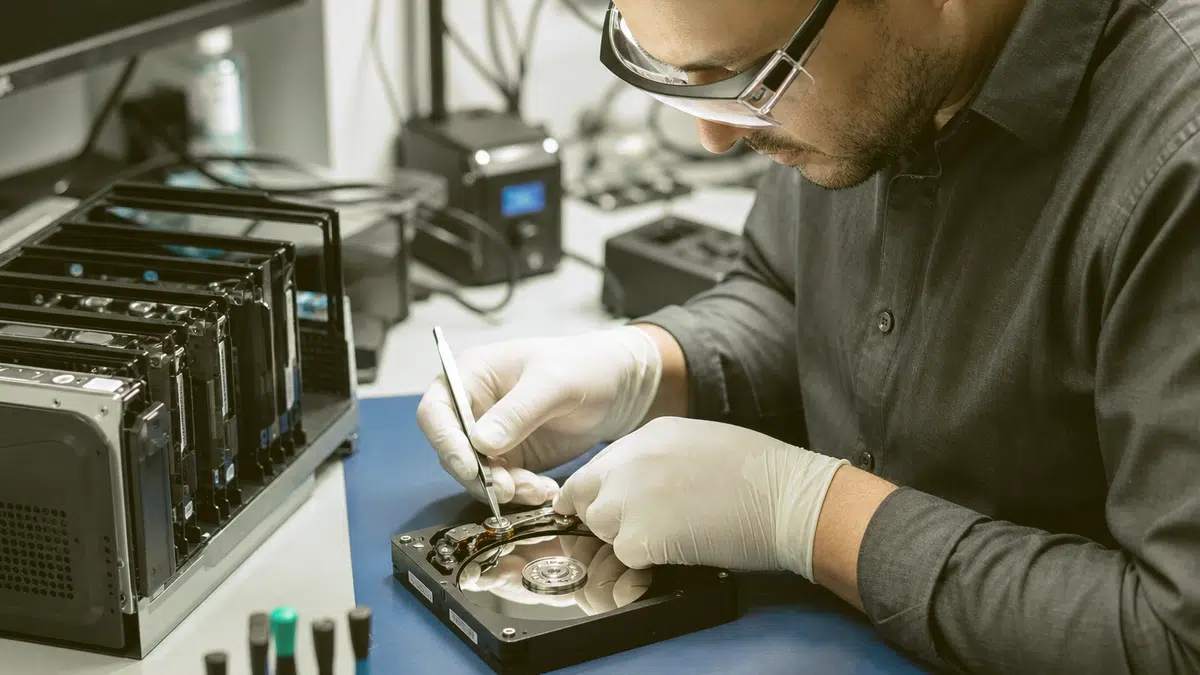
When your hard disk fails, you need a local team that understands how much your data matters to your business and your peace of mind.
If your storage failure involves solid-state drives, RAID arrays, or mobile devices, you may also benefit from our broader Data recovery service offering that covers multiple media types and failure scenarios beyond traditional hard disks.
TL;DR: If your hard drive has failed, crashed, or become unreadable in Fredericksburg, VA, professional recovery services can retrieve your documents, databases, and media from damaged hard disks using specialized tools in a controlled environment.
A failed hard drive can halt your operations in minutes.
Whether you run a small business near Caroline Street, manage patient records for a medical practice off Route 3, or store years of client files on a desktop in your Spotsylvania office, losing access to your data creates immediate stress.
You need a local partner who treats your recovery with urgency and handles your storage media with proven methods.
Hard drive data recovery in Fredericksburg, VA addresses mechanical failures, logical corruption, accidental deletion, and physical damage from drops, power surges, or flooding.
The process requires cleanroom work for opened drives, specialized imaging hardware for unstable platters, and file-system reconstruction for corrupted partitions.
Not every failure is recoverable, but professional evaluation gives you a clear picture of your options before you commit to any next step.

Your hard disk contains spinning platters, read/write heads, and firmware that must all coordinate perfectly.
When any component fails, your computer may freeze, click, or fail to recognize the drive entirely.
You might see error messages about unreadable sectors, hear unusual grinding sounds, or find that your operating system simply will not boot.
These symptoms demand immediate attention. Continuing to power on a failing drive can cause permanent platter damage that destroys data permanently. The safest path is to stop using the device and connect with recovery services that can assess the failure type without risking further harm.
You face three broad categories of hard drive failure. Understanding which one affects your device helps set realistic expectations for what retrieval can achieve.
Each physical failure requires different intervention.
Head crashes need cleanroom head swaps.
Motor seizures may need platter transplantation to a working chassis.
Firmware issues often resolve through manufacturer-specific debugging tools.
A proper diagnosis tells you which path offers the best chance of getting your files back.

Not every data loss stems from hardware failure.
You might delete a folder by mistake, empty the recycle bin without checking, or format the wrong partition during an operating system reinstall.
In these cases, your files often remain physically present on the platters until new writes overwrite them.
The critical step is to stop writing new data to the affected drive immediately.
Every file you save, every program you install, and every system update you run risks overwriting the very data you hope to retrieve.
Power down the device and avoid any utility that claims to fix the problem by writing to the disk.
Logical recovery works by scanning the drive at the sector level, identifying file signatures, and reconstructing directory structures from backup tables and journal logs. Success depends on how much overwriting has occurred and how fragmented the original files were. Early intervention dramatically improves your outcome.
In each scenario, the same principle applies: the less you do after discovering the loss, the more material specialists can likely reconstruct for you.
Here's the path your project follows, so nothing catches you off guard.
Deleted emails or databases from a server drive in your Fredericksburg office
Repartitioned drives that erased your accounting software and historical records
Virus or ransomware attacks that hid or corrupted your file structures
Failed operating system upgrades that left your user profile inaccessible
Accidental quick formats on external backup drives you thought were empty
You might wonder whether free software or a tech-savvy employee can handle your failed drive.
For minor logical issues on a healthy disk, consumer tools sometimes work.
But when your drive shows physical symptoms, DIY attempts often convert recoverable failures into permanent losses.
Opening a hard drive outside a cleanroom introduces dust particles that destroy platter surfaces.
Running software on a mechanically failing drive can cause heads to crash repeatedly.
Professional recovery services invest in ISO-certified cleanroom environments, donor parts inventories for hundreds of drive models, and imaging hardware that reads unstable sectors without stressing fragile components. They also maintain chain-of-custody documentation that supports legal and compliance requirements your business may face.
Working with a local Fredericksburg provider gives you additional advantages. You can hand-deliver your drive rather than shipping IT through uncertain courier networks.
You speak directly with technicians who understand your timeline. You avoid the extended turnaround times that national mail-in services often impose.
These qualities matter whether you manage a law practice downtown, a construction firm near the Rappahannock, or a healthcare clinic serving Stafford County.
Your data represents years of operational history, customer relationships, and regulatory obligations.
Treating its recovery as a professional service rather than a casual experiment protects those investments.

Hard drives come in many configurations, and each presents unique recovery challenges.
Desktop drives with 3.5-inch platters differ from laptop drives with 2.5-inch designs.
Enterprise SAS drives in servers use different firmware than consumer SATA models.
External USB drives may encrypt data or bridge interfaces that complicate direct access.
Understanding your specific drive type helps technicians select the right tools and donor hardware.
IT also shapes how your recovered data returns to you.
A 12 terabyte RAID array requires different handling than a single 500 gigabyte laptop drive, both in imaging time and in the storage infrastructure needed to hold recovered files securely.
Technicians typically classify recoveries into tiers based on complexity.
Level one involves healthy drives with deleted files or minor corruption.
Level two covers drives with degraded sectors or firmware issues that respond to software intervention.
Level three requires cleanroom disassembly for mechanical failures.
Level four addresses severe platter damage, contamination, or advanced encryption complications that limit what any technique can achieve.
This classification is not about charging tiers. It is about honestly communicating what your specific situation requires and what outcomes are technically possible. You deserve that clarity before committing your drive to any procedure.
If your storage uses solid-state technology rather than spinning platters, the recovery process changes fundamentally.
SSDs store data in flash memory chips with wear-leveling algorithms that scatter information across the device.
When an SSD fails, recovery often requires direct chip access and specialized controllers rather than cleanroom mechanical work.
If you are uncertain whether your device contains a hard disk or SSD, check your system specifications or ask your technician during initial consultation.
Recovery services address crises, but your best strategy combines prevention with preparedness. Businesses in Fredericksburg face the same risks as organizations anywhere: hardware ages, accidents happen, and natural events like the flooding seen along the Rappahannock can damage equipment physically.
Implementing a 3-2-1 backup strategy gives you multiple recovery paths before you ever need professional intervention.
Keep three copies of critical data, on two different media types, with one stored offsite.
Test your backups regularly.
Many businesses discover their backup systems failed only when they attempt restoration during an emergency.
After experiencing a drive failure and successful recovery, audit your infrastructure. Replace aging drives before their manufacturer-rated lifespan expires.
Consider redundant storage for irreplaceable data. Document what failed and why, so you can spot warning signs earlier next time.
Recognizing these symptoms early lets you migrate data while the drive still functions, avoiding the stress and uncertainty of full failure. When symptoms appear, back up immediately if possible, then retire the drive rather than risking continued operation.
Your business is protected at every layer, not just the front door.
Frequent system crashes or blue screens that correlate with disk activity
Unusual clicking, beeping, or grinding noises from the drive enclosure
Slow file access times that worsen progressively over days or weeks
SMART errors reported by your operating system or BIOS
Find your town on the list below.
★★★★★ 5.0 from 28 Google reviews
My husband and I have a landscape company and having a computer for our business working without issues is very important. When an issue comes up and I give businets a call they are very professional and quick to respond, usually the same day. Which is very important too as I am computer illiterate 😏 I would give them 5 stars 🌟 🌟.🌟🌟🌟 Gale C.
Businets is Awesome. Always taking care of our computer issues when needed. Steven is the Best. 🙂
I so appreciate all Businets does! They are professional, responsive, proactive, and have a great team. When we wanted to make some significant upgrades to our infrastructure, they were right there guiding us through the process. When one of our employees clicked into a phishing email, they were very quick to isolate his machine and kept the rest of our machines safe. Highly recommend!
Our entire system was hacked by very a sophisticated, methodical, and devastating attack which included private business information. We called Businets in a complete panic! Luke came out and was hands down the best tech we have ever had. He systematically solved the problem and knew what he was doing every step of the way! I cannot tell you how thankful we are for his expertise and professionalism. Thank you, Luke! You made a very bad day turn into a very good one!
Businets has really saved us time, money and headaches! We highly recommend!
I have been using Businets at my company for a couple of years now and honestly I am not sure how I ever managed without them. They are always so helpful and prompt in helping with my issues. I highly recommend them!


Review UVA data storage guidance for practical advice on backing up and protecting important files before hard drive failure occurs.
Do not let a failed drive cost you years of business records and irreplaceable files. Call our Fredericksburg team at (540) 374-9244 or visit our downtown office to discuss your hard drive data recovery needs with a specialist who understands what your data means to your operation.

Need RAID data recovery in Fredericksburg VA? Our engineers recover failed RAID arrays, NAS systems, and server storage for local businesses.

Professional network setup Fredericksburg VA for local businesses. We handle cabling, WiFi, security, and configuration so your team stays connected.

Looking for business IT support in Fredericksburg, VA? Get proactive, local help for your technology needs. Call now to protect your operations.

Businets Inc delivers Penetration testing Fredericksburg VA for local businesses: proactive monitoring, around-the-clock helpdesk coverage, and local technicians you can reach.
Google review
Businets is Awesome. Always taking care of our computer issues when needed. Steven is the Best. 🙂
Google review
I so appreciate all Businets does! They are professional, responsive, proactive, and have a great team. When we wanted to make some significant upgrades to our infrastructure, they were right there guiding us through the process. When one of our employees...
Google review
Our entire system was hacked by very a sophisticated, methodical, and devastating attack which included private business information. We called Businets in a complete panic! Luke came out and was hands down the best tech we have ever had. He systematically...
Google review
Straight answers to what Fredericksburg businesses ask before working with Businets Inc.
Costs vary based on failure type, drive capacity, and the complexity of work required.
Logical recoveries typically require less specialized labor than cleanroom mechanical procedures.
Reputable providers evaluate your drive first and explain what is needed before any work proceeds.
Avoid services that demand large upfront payments without assessment.
Physical damage recovery is possible in many cases, depending on which components failed and whether the platter surfaces remain intact.
Head crashes, motor failures, and circuit board damage each have established repair techniques.
Severe platter scoring or contamination reduces success rates.
A professional evaluation in a controlled environment determines whether your specific damage is recoverable.
Timeline depends on failure severity, parts availability, and how much data must be imaged.
Simple logical recoveries may conclude quickly.
Complex mechanical work requiring donor parts or extensive imaging can extend the process.
Your provider should communicate expected timeframes after initial diagnosis and update you if complications arise.
Professional recovery services should maintain strict confidentiality protocols.
Look for providers who discuss their security practices openly, including how they handle your drive, where recovered data is stored during the process, and how both original and recovered materials are returned or destroyed after completion.
Ask about their policies before engaging their services.
Power down the device immediately and avoid repeated restart attempts.
Do not install recovery software on the failing drive.
If the drive is external, disconnect it safely.
Note any symptoms you observed: sounds, error messages, or behaviors.
Contact a recovery specialist promptly with this information to arrange secure transport and evaluation.
My husband and I have a landscape company and having a computer for our business working without issues is very important. When an issue comes up and I give businets a call they are very professional and quick to respond, usually the same day. Which is...